Showing posts with label android. Show all posts

Tuesday, April 7, 2015

Apps To Save Money And Improve Your Finances Android

Today I am going to introduce 10 Android apps which are used to save money and improve your finances. These are a great way to avoid over spending at the same time improve our finances. With them we can make a more precise control of the monthly bills for electricity, water, telephone, Internet, etc., so that we can always know where we are spending our money.

apps-save-money-improve-finance-alltechbuzz.net

10 Apps to Save Money

1.Moneywise

With this application users can keep track of all your daily expenses and your income. It is an application for managing finances and is compatible with different currencies and also creates budget. Also highlighted by:

money-wise-android-app-to-save-money-alltechbuzz.net
  • Manage costs and revenues
  • Rates Charts
  • Filter by categories and tags
  • Ability to export data to CSV to work in Excel
  • Backup email or DropBox
  • Daily, weekly, monthly or yearly view
  • Password protection

2. Finance - Expense Manager

This application is very simple in terms of user because interface is concerned, however, offers features and functions that allow you to manage money easily. Among them highlights include:

expense-manager-android-app-to-save-money-labnol.org

  • Multiple accounts in different currencies
  • Exchange rate
  • Ability to create budgets
  • Ability to attach pictures to transactions
  • Backup information
  • Filtering categories and reports
  • Scheduled frequent transactions

3. Monofey - Expense Manager

This is another application to save money using our Android phone that works in a very simple but effective way. We just have to enter our monthly or weekly income and then specify the time costs. Along with this application also allows:

money-lover-expense-manager-android-app-to-save-money-allindiayouth.com

  • Add notes
  • Display graphics costs
  • Change the categories
  • Specify the currency of your country
  • Synchronize data with Dropbox Account
  • Backup
  • Password protection

4. Tracker Spending

In this case it is  focused on monitoring of expenditure across different sections that allow the user to know exactly where you are spending your money application. Its main features include:

spending-tracker- android-app-to-save-money-allindiaroundup.com

  • Expense Tracking
  • Budgeting
  • Recurring transactions by date
  • Ability to export data to a CSV file
  • Support for multiple accounts
  • Ability to edit the categories of expenditure and income
  • Expense reports with graphs

5. Money Control

With this application the user can keep track of all your transactions on a daily basis so that you always know the relationship between your expenses and your income. Moreover it is possible:

money-control- android-app-to-save-money-alltechtricks.org

  • Manage multiple accounts
  • Add bills with income or expense
  • View reports with interactive charts
  • Lock pattern
  • Calculator
  • Reports of income and expenditure
  • Backup
  • Support for voice input

6. CoinKeeper

This is also one of the best apps to save money and control costs that are at home or in the office, thanks to the creation of budgets, accounts and financial goals. Among the highlights include:

coin-keeper-android-app-to-save-money-alltechbuzz.net

  • Budget Auto Mode
  • Multiple accounts in different currencies
  • Easy recording of transactions
  • Information about overspending
  • Ability to create custom categories
  • Reminders about upcoming bills or transactions
  • Password protection
  • Statistics with graphs of expenses and income

7. Daily Money

With this application we can manage our money from the phone after expenses, income, assets or liabilities that we introduce in the application. Besides this, the application also allows:

daily-money-android-app-to-save-money-alltechbuzz.net

  • Create multiple books in different currencies
  • Create accounts hierarchy and Custom
  • Calculate the money balance
  • Display pie charts and time tables
  • Ability to save data in CSV
  • Password protection

8. Toshl Finance

This is an application for personal finances that unlike previous required to create a user account to use it. Once done, the app offers:

toshi-finance-android-app-to-save-money-alltechbuzz.net

  • Choose your main currency
  • Reminder to enter expenses
  • Ability to create monthly budgets for all expenditures
  • Currency Converter
  • Ability to export data to CSV file

9. Accounting Records

As its name implies, this is an application that allows to take the accounting of all income daily, weekly or monthly expenses. Additional features include:

accounting-records-android-app-to-save-money-alltechbuzz.net

  • Control of payment for credit cards
  • Ability to schedule transfers
  • Integrated Calculator
  • Budget allocation
  • Different categories of expenditure
  • Password protection

10. Daily Expenses

We end this list of applications to save money on Android with this app that allows us to organize expenses and income, and cash register transactions and get detailed reports of the total. Besides this and adjust the budget accordingly:

daily-expenses-android-app-to-save-money-watsapp-for-pc

  • You can modify or delete records entered
  • Sort the expense and revenue categories
  • Schedule frequent records
  • Protect information with password
  • Backup
  • Widget screen with the monthly summary
  • Currency and date format
I hope everyone got to know some new things here and I wish everyone to make use of such apps for good growth in our life.
Read more »

Monday, April 6, 2015

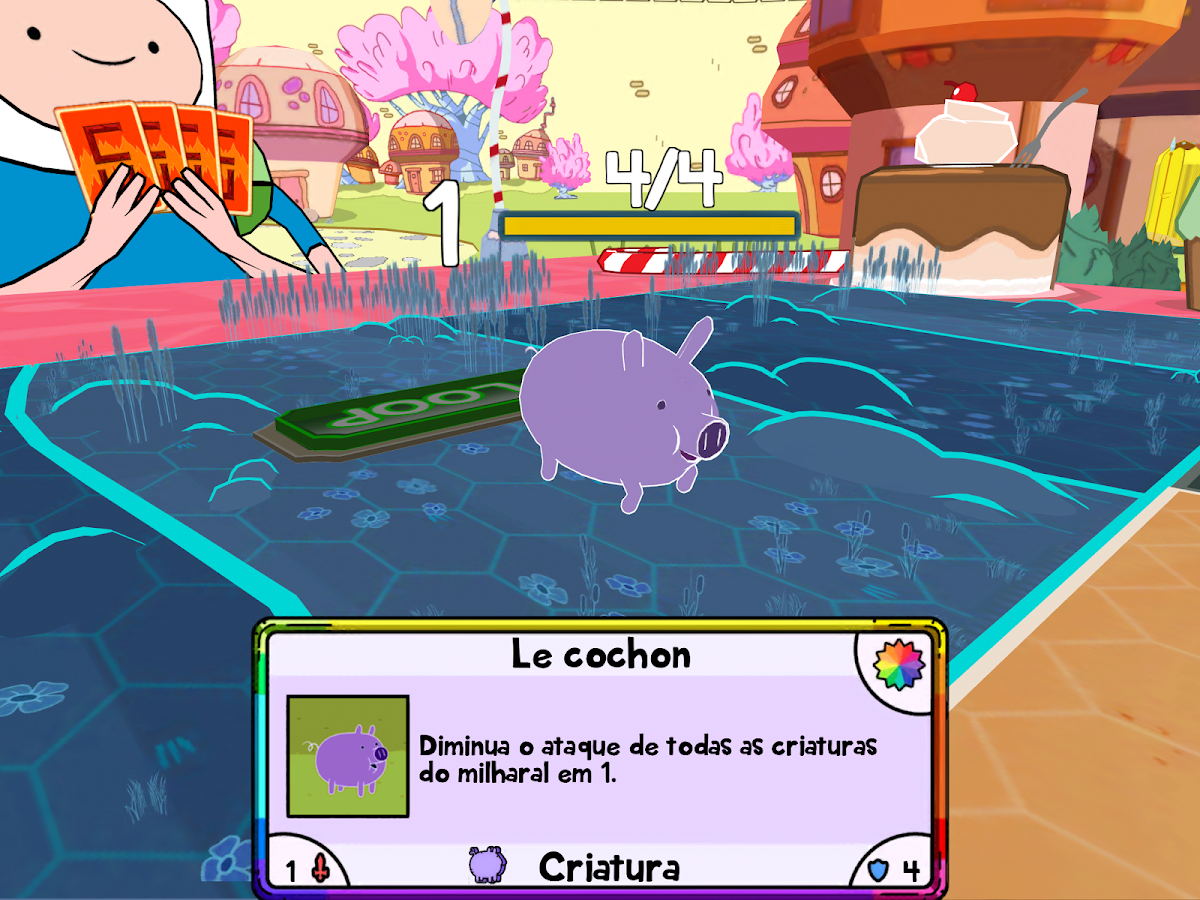
Baixar Adventure time Card Wars Guerra de Cartas para Android

Adventure time: Card wars - Guerra de cartas v1.3.0 APK + OBB 


Invoque criaturas e jogue feitiços para vencer.

Cover art
Guerra de Cartas play.google.com/cardwars
Gire o Porco! É a GUERRA DE CARTAS de Hora de Aventura! Participe do jogo inspirado no episódio "Guerra de Cartas", de Hora de Aventura! 


COMBATE DE CARTAS! 

Comande um exército de guerreiros destemidos, incluindo Cavaleiros Debulhadores, Cães Irados, o Andarilho Imortal de Milho e até o Porco, para destruir as forças do seu oponente! Posicione torres e jogue feitiços para desbloquear os melhores ataques.


BARALHOS PERSONALIZADOS! 

Colete novas cartas e customize seu baralho para cada oponente. Incremente suas criaturas, seus feitiços e torres, ou misture-os para tornar suas cartas ainda mais poderosas.


BATALHAS HOMÉRICAS!

Você acha que tem o que é preciso para ser eleito um Cara Descolado, ou será que acabará bebendo no copo dos Manés? Jogue como Finn, Jake, Beemo, Princesa Jujuba, Marceline, Princesa de Fogo e outros enquanto se aventura pela Terra do Ooo!

É a GUERRA DE CARTAS!


Este jogo está disponível nos seguintes idiomas: English, French, Italian, Spanish (Latin America), Brazilian Portuguese


Imagens

Guerra de Cartas - screenshot

Tamanho: 153mb APK + OBB
Necessario Android 2.3+


TUTORIAL PASSO A PASSO 


**Todos os links para download serão redirecionados para a pagina de propaganda Adf.ly , depois de ser redirecionado aguarde o fim da contagem de 5 segundos e clique em FECHAR PROPAGANDA no canto superior direito, não clique em mais nada que aparecer no site somente no local indicado**.

*Tutorial 1# (OBB  em parte unica ) 
1º Passo;
 Baixe o APK 
  • Opção 1 Zippyshare 12mb
  • Opção 2 Mega 12mb
2º Passo;
 Baixe o OBB do jogo parte unica;
  • Opção 1 Zippyshare 137 mb
  • Opção 2 Mega 137 mb
3º Passo;
Selecione a parte OBB  baixada , clique com o botão direito do mouse e escolha a opção: "extrair para Card Wars v1.3.0 - OBB Android Passo a Passo". dentro existe a pasta "com.turner.cardwars"

4º Passo;
Instale o APK em seu smartphone / tablet. No final da instalação você terá duas opções: CONCLUIR / ABRIR , clique em CONCLUIR.

5º Passo;
Mova a pasta "com.turner.cardwars" para sua MEMORIA INTERNA / Android /obb. (esse procedimento também pode ser feito no seu Cartão de memoria se seu aparelho tiver a função "mover para SD" )

6º Passo;
Ligue sua conexão Wi-Fi / 3G para fazer verificação de arquivos, inicie o jogo digite sua idade e divirta-se


Dicas para usuários:

  • Dificuldade para instalação ?? precisa de ajuda?? Clique aqui
  • Seu aparelho tem pouca memoria interna?? Clique aqui
  • Você ainda não sabe fazer Root?? Clique aqui
  • Seus jogos ficam travando?? Clique aqui
  • Os Jogos que você baixa não funcionam?? Clique aqui
  • Você quer remover as propagandas que aparecem nos aplicativos? Clique aqui
  • Você deseja dinheiro infinito em Jogos? Clique aqui
  • Baixe também o app do Android Passo a Passo e tenha um acesso mais rápido ao blog Clique AQUI


Read more »

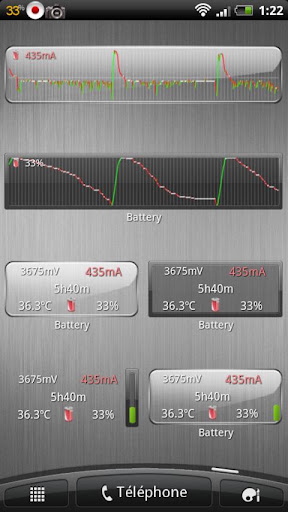
Baixar Battery Monitor Widget Pro para Android

Battery Monitor Widget Pro v3.1.5 APK

Monitoramento da bateria completa com ícone de notificação, história, gráficos e alarmes!

Battery Monitor Widget Pro  play.google.com.bmw.pro
monitoramento da bateria completa com o ícone de notificação, história, gráficos e alarmes 
testado em Galaxy Nexus, Galaxy Note, HTC One X, Iconia A500, Transformer tudo sob ICS: Consome <3 segundos de CPU por dia usando configurações padrão (recomendado). 

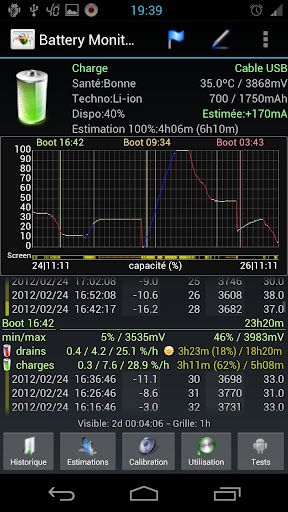
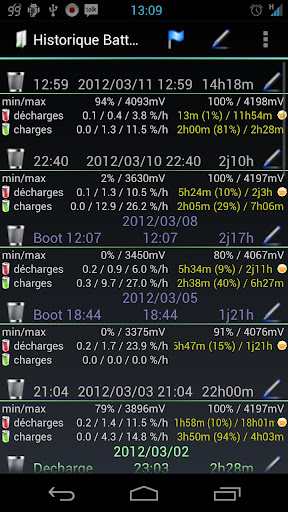
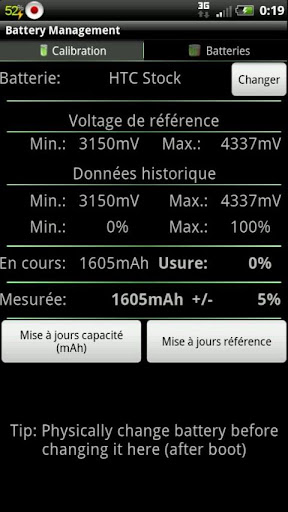
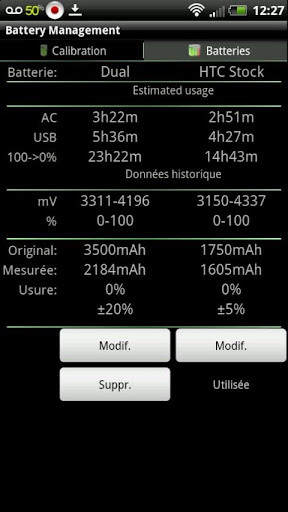
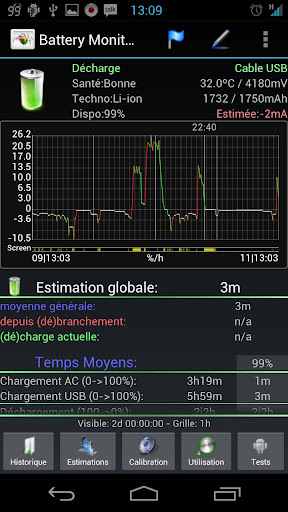
A ferramenta mais completa para gerenciar sua bateria: Mostra dados históricos (%, mA, mW, mV e temperatura), calcula cerca de run-tempos e envelhecimento da bateria, ajuda a calibrar a bateria e melhorar a sua bateria . tempo de execução 

NB:
  • Nem todos os telefones relatório mA precisas - Check app web-site para mais informações
  • O aplicativo exibe dados a% restante, voltagem e temperatura relatados pelo sistema operacional Android
  • HTC One X relata incorreta mA durante a espera, use correções mA para obter melhores resultados
  • Estatísticas da bateria do Android não tem nada a ver com cálculos%
Medidas de capacidade verdadeira bateria usando dados históricos! Mostrar todas as informações utilizando gráficos olhando grandes, totalmente rolagem e com zoom. Use pacotes adicionais para mostrar grandes ícones olhando em notificação da barra de exibição de gráficos históricos ou de dados da bateria na tela inicial usando widgets de vários tamanhos! alarme Triggers com base em dados da bateria (limites de tensão e temperatura) reinicia manualmente calibração da bateria / estatística no telefone enraizada Suporte Motorola Defy / Atrix 1% relatando ajuda online acessíveis a partir de configurações Exportar dados para o System Tuner Pro analisar qual processo é responsável pela drenagem de bateria! bateria mais baixo consumo no mercado! Desativar história / gráficos de consumo ainda mais baixo! Verifique web-site para consumo app e telefones suportados.

O que há nesta versão:  (Atualizado: 21 de maio de 2014)
  • Adicionar aviso antes de acessar a tela de teste do fabricante
  • Fix apagar todos os marcadores em vista de detalhes
  • Corrigir os widgets opções de gráficos secundários
  • Requer a permissão Internet para baixar ícones de notificação externos
  • Requer SYSTEM_ALERT_WINDOW (desenhar sobre outros aplicativos) para mostrar a barra de notificação da bateria
Obrigatório Android 1.6 +

Screenshots:


Baixar  :  1.3Mb APK


TUTORIAL PASSO A PASSO 

**Todos os links para download serão redirecionados para a pagina de propaganda Adf.ly , depois de ser redirecionado aguarde o fim da contagem de 5 segundos e clique em FECHAR PROPAGANDA no canto superior direito, não clique em mais nada que aparecer no site somente no local indicado**.


1° Passo;
Baixe o APK  
  • Opção 1 Zippyshare
  • Opção 2 Mega
2° Passo;
Instale o apk em seu smartphone/tablet.

3º Passo;
Utilize para ter um controle maior sobre sua bateria


Dicas para usuários:
Seu aparelho tem pouca memoria interna?? Clique aqui
Você ainda não sabe fazer Root?? Clique aqui
Seus jogos ficam travando?? Clique aqui
Os Jogos que você baixa não funcionam?? Clique aqui


PEDIDO: Se você costuma usar os downloads do site Android Passo a Passo e deseja ajudar para o site continuar, CLIQUE nas propagandas exibidas aqui no site, elas são uma importante fonte de renda para o site Android Passo a Passo, basta clicar e depois fechar a janela, não custa nada dar essa força valeu!!


Baixe também o app do Android Passo a Passo e tenha um acesso mais rápido ao blog Clique AQUI
Read more »

Baixar Real Boxing para Android


Real Boxing  v1.6,5 APK + OBB (versão para dispositivos NÂO TEGRA)

Real Boxing  traz para você o mais emocionante, sem barreiras ação de combate jamais visto em Android, gráficos incríveis real de boxe foram otimizados para levá-lo mais perto da ação do que você jamais imaginou ser possível.

Real Boxing play.google.com.realboxing

Com ultra-realista de captura de movimento de pugilistas reais e gráficos surpreendentes do Unreal Engine 3 poderoso, você vai ver suor e sangue enche o ar e você vai se sentir cada gancho, jab, e uppercut no boxe real, o jogo mais emocionante de boxe ainda sobre o Android.


Amazing 3D Graphics & Som 
Os incríveis Unreal-powered gráficos e captura de movimento criar níveis surpreendentes de realismo. Assista suor e sangue jorrar a cada soco e ver o rosto de seu oponente tomar lesões; então apreciar a ação replay em câmera lenta de seu maior KO.


Experiência o rugido da multidão 
Lutar em arenas atmosféricas com comentários autênticos. Veja o flash das lâmpadas de câmera, ouvir e sentir o rugido da multidão como se estivesse realmente lá.


jogabilidade incrivelmente profunda 
Leve-o Modo Carreira com mais de 30 lutas e três títulos de correia para conquistar. Luta mais de 20 oponentes com seus próprios estilos de combate únicos e adaptativo então treinar o seu boxer com mini-jogos, incluindo pular corda, saco pesado e mini saco. Também desempenham KO e Clinch minigames durante uma ronda para um impulso de energia.


Embalado com características extras e Personalização
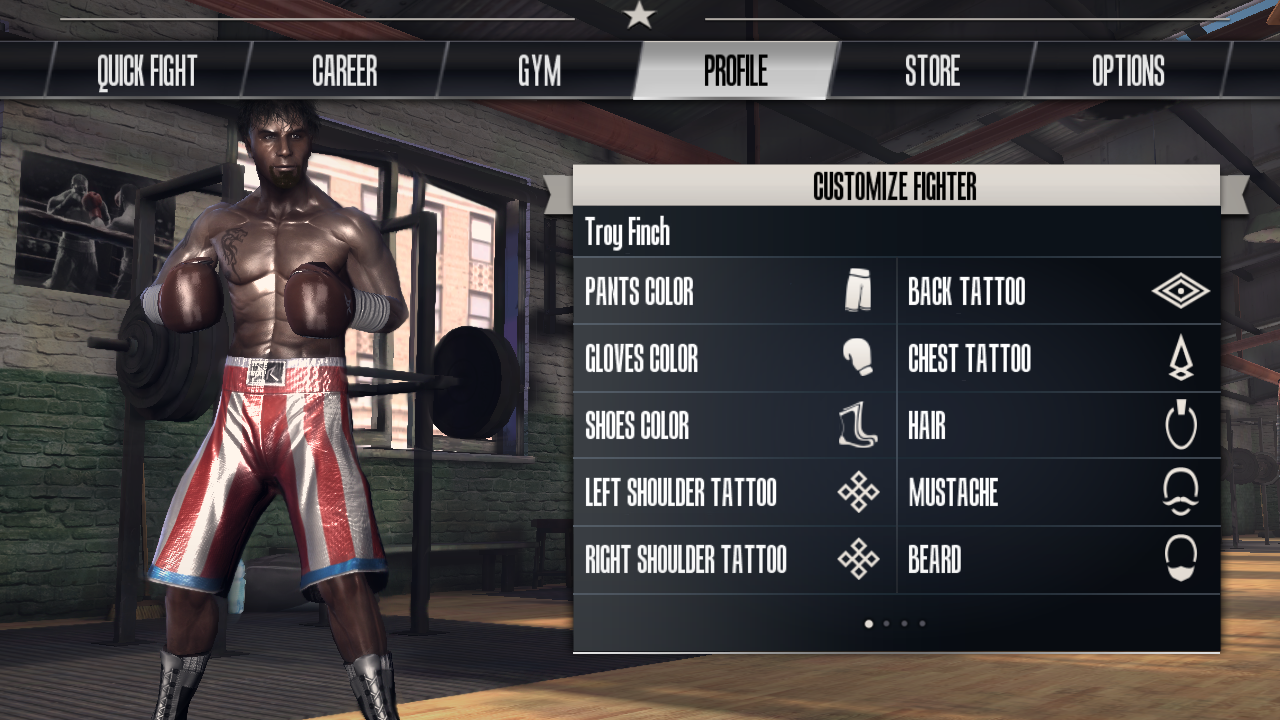
Desbloquear novos equipamentos, os adversários extras e roupas. Personalize a aparência de seu lutador: penteado, cor da pele, tatuagens e roupas.


O que há nesta versão: (Atualizado: 7 de Maio de 2014)

  • Temos treinado nossos servidores. Agora eles são capazes de lidar com ainda mais participantes nos novos e emocionantes torneios semanais.


    Obrigatório Android  2.3 +

    Screenshots :

    Real Boxing™ - screenshot
    Real Boxing™ - screenshot
    Real Boxing™ - screenshot
    Real Boxing™ - screenshot
    Real Boxing™ - screenshot
    Real Boxing™ - screenshot
    Real Boxing™ - screenshot
    Real Boxing™ - screenshot

    Download : 260 Mb (APK+OBB)


    TRAILER DO JOGO


    TUTORIAL PASSO A PASSO 

    ***Todos os links para download serão redirecionados para a pagina de propaganda Adf.ly , depois de ser redirecionado aguarde o fim da contagem de 5 segundos e clique em FECHAR PROPAGANDA no canto superior direito, não clique em mais nada que aparecer no site somente no local indicado**.


    **Tutorial 1# ( OBB  em 2 partes )


    1° Passo;
    Baixe o APK do Jogo;
    • Opção 1 Mega  
    2º Passo;
    Baixe o OBB do jogo em 2 partes;
    • Parte 1 Mega 120mb
    • Parte 2 Mega 115mb
    3° Passo;
    Instale o APK em seu smartphone / tablet. No final da instalação você terá duas opções: CONCLUIR / ABRIR , clique em CONCLUIR.  

    4° Passo;
    Selecione as 2 partes baixadas , clique com o botão direito do mouse e escolha a opção "Extrair para Real Boxing v1.6.5- OBB Android Passo a Passo" .Dentro existe a  pasta "com.vividgames.realboxing"

    5º Passo:
    Mova a pasta "com.vividgames.realboxing" para "Memoria Interna/Android/obb/" (caso seu aparelho  tenha a função "mover para SD", você poderá fazer todos procedimentos no seu cartão de memoria SD)

    6º passo:
    Você deve se conectar pela rede WI-FI/3G para joga a 1ª vez e verificar dados adicionais.
     Se você fez tudo da maneira correta agora é só jogar :)


    Dicas para usuários:
    Seu aparelho tem pouca memoria interna?? Clique aqui
    Você ainda não sabe fazer Root?? Clique aqui
    Seus jogos ficam travando?? Clique aqui
    Os Jogos que você baixa não funcionam?? Clique aqui


    PEDIDO: Se você costuma usar os downloads do site Android Passo a Passo e deseja ajudar para o site continuar, CLIQUE nas propagandas exibidas aqui no site, elas são uma importante fonte de renda para o site Android Passo a Passo, basta clicar e depois fechar a janela, não custa nada dar essa força valeu!!


    Baixe também o app do Android Passo a Passo e tenha um acesso mais rápido ao blog Clique AQUI
    Read more »

    Baixar Instantion para Android

    Instantion v1.0 APK


    Instantion é um jogo de plataformas 2D puzzle com jogabilidade clone único.

    Instantion play.google.com.Instantion
    Controle vários clones simultaneamente, resolver quebra-cabeças. Instantion combina design de quebra-cabeça de estilo calabouço e trajetória funda-shot apontando com elementos como os efeitos da gravidade, dispositivos de teletransporte e modificação clone. Progresso através de 50 níveis, com mais de 120 quebra-cabeças, blocos de empurrar, bater switches, encontrar as chaves, evitando os lasers e muito mais! Resolva cada nível com um mínimo de clones possíveis, no menor tempo possível para obter a melhor qualidade! dificuldades extras são incluídos para ainda mais desafio! 

    Obrigatório Android O / S:  2.0.1 +

    Screenshots:
    Instantion - ScreenshotInstantion - ScreenshotInstantion - Screenshot

    Baixar  :  41MB APK

    TUTORIAL PASSO A PASSO 

    ***Todos os links para download serão redirecionados para a pagina de propaganda Adf.ly , depois de ser redirecionado aguarde o fim da contagem de 5 segundos e clique em FECHAR PROPAGANDA no canto superior direito, não clique em mais nada que aparecer no site somente no local indicado**.


    1° Passo;
    Baixe o APK  
    • Opção 1 Mega
    2° Passo;
    Instale o apk em seu smartphone/tablet.

    3º Passo;
    Divirta-se

    PEDIDO: Se você costuma usar os downloads do site Android Passo a Passo e deseja ajudar para o site continuar, CLIQUE nas propagandas exibidas aqui no site, elas são uma importante fonte de renda para o site Android Passo a Passo, basta clicar e depois fechar a janela, não custa nada dar essa força valeu!!


    Baixe também o app do Android Passo a Passo e tenha um acesso mais rápido ao blog Clique AQUI
    Read more »

    Sunday, April 5, 2015

    Where’s My Mickey Tips tricks and Cheats for android


    Where’s My Mickey? 
    Tips tricks and Cheats for android

    tips tricks and cheats for android


    Wheres My Mickey? Tips tricks and Cheats

    - Getting three stars on a level can be very tricky, so start off by creating a solution that simply gets the water to Mickey and fills up the tank. Once you know this basic solution, it makes it much easier to go back in and see how you need to adapt your strategy to capture all of the stars. Dont try to do everything at once if youre really stuck.

    - Dont let a drop of that red-hot liquid touch Mickey or youll have to restart. Dont forget that you can drain this deadly liquid off the screen - and once its gone, its gone for good. If you have a level that includes dangerous water and normal water, start your solution by working out how to remove the dangerous stuff first.

    - The rain clouds in Wheres My Mickey? can be filled up with water again, as long as they pass beneath or through a water source. Getting the cloud refilled is essential for some of the trickier levels, so keep this in mind. Make sure you plan the clouds path around the level very carefully, so youre always going with the flow.

    - You need to carve very fine paths for wind to travel through. If it hits a curved corner, it will follow around that corner, but right-angles can stop the breeze cold. You may have to make several attempts to get these paths just right, but dont forget to check and see if theres an easier path it can take.

    - The final extra-large levels are particularly tricky to get on top of. More so than in the earlier levels, youre going to need to experiment a lot, but consider breaking the challenge down into smaller sections first, and master each section of the level piece by piece. Again, it can be very helpful to solve the basic challenge of the level first, before going back in and expanding your strategy to get all three stars.

    - The red liquid is an obstacle in most levels, but it can also provide an advantage. You dont want this nasty stuff touching Mickey, but it can be used to take out the organic branches that sometimes block access to stars and Mickey himself. Just make sure you get rid of any leftover juice afterwards, so you dont scupper an otherwise solid solution.

    - If you need more of that destructive red liquid, simply add more water from a nearby source. This can be particularly useful if you need to clear an obstacle, but dont have quite enough juice to finish the job off. Dont create more red water than you have to though, or you may find yourself with a serious drainage issue.


    Where’s My Mickey? You Need to Know

    So Whats This Game All About?
    Wheres My Mickey? Is a puzzle game where you must guide the water along a path from its source to where Mickey is. There will be obstacles along the way, and the point of the game is to circumvent all of these obstacles and have them work together so that the water would be able to reach its intended destination. Stars must also be collected as well as special items that can unlock further stages. Each level is presented as a form of animated short much akin to an old Mickey Mouse cartoon, so players must be able to complete each set of stages to see how each adventure plays out.

    Try and Drain That Red-Hot Liquid ASAP
    Whenever you encounter a stage that features some of that red-hot lava-esque liquid, try and drain it ASAP. That water is harmful to Mickey, so it makes more sense to get rid of that fluid first before you get to getting Mickey the safe water.

    The Basics Behind Rain Clouds, Pipes, Gates Etc.
    - You can use rain clouds to collect and move water about the level. You can tap or hold your finger on blue cloud to make it rain. 
    - Pipes redirect water about the level. Put liquid in the open end and it will shoot out the nozzle. Follow the pipes to see exactly where your water will come out. 
    - Gates move along their track when you splash water or a water-filled cloud into the button of the corresponding colour. 
    - Wind pushes clouds about the level. You might be able to form a wall to block wind, or dig out dirt to create impromptu wind tunnels. 
    - Lava is a dangerous liquid. It will result in a Game Over for you if you spill it in Mickeys pipe. Lava destroys buttons, cancels out water, destroys stars, and eats up clouds. It can be useful in certain puzzles, but must be handled carefully. - Taps enable you to pour liquid out at your own pace. Just tap and hold on the faucet to spill liquid. The colour of the tap tells you what is going to come out 
    - blue means water, red means lava. 
    - Vines start out as baby shoots, then grow into giant beanstalks when damp. Pour water on them to build walls and bridges. Lava, on the other hand, makes vines shrivel and die.

    So How Many Chapters/Stages Are There?
    In total, there are three full chapters in the game. Each chapter contains 20 puzzle stages each. There ya go, folks.

    Heres All of The Game Achievements
    For you gamers who want to get a heads-up on all the games achievements, check out the full list below: 

    - When Life Gives You Lemons - Complete all levels in "When Life Gives You Lemons." 
    - Make Lemonade - Collect all stars in "When Life Gives You Lemons." 
    - Fanning the Flames - Complete all levels in "Fanning the Flames." 
    - Full Burn - Collect all stars in "Fanning the Flames." 
    - Growing Pains - Complete all levels in "Growing Pains." 
    - All Grown Up - Collect all stars in "Growing Pains." 
    - Howd That Get There? - Find a buried item in a level. 
    - Treasure Hunter - Find 10 buried items. 
    - Bonus Time - Find enough buried items to unlock a bonus level. 
    - Water Wise - Beat a level with exactly 20 drops of water. 
    - Surprise! - Surprise Mickey with Red Fizzle 20 times. 
    - Startled - Destroy 50 stars.
     - Efficient Cut - Dig with two fingers at once in a level. 
    - Not a Quitter - Retry the same level 8 times. 
    - Fizzle Out - Completely destroy all clouds in a level using Red Fizzle. 
    - Switched Off - Destroy 20 switches with Red Fizzle. 
    - Clearing - Kill 50 plants with Red Fizzle. 
    - Green Thumbs - Grow 50 plants to full height. 
    - Water U Doing? - Surprise Goofy with water 20 times. 
    - Hot Soup - Convert water to Fizzle using Fizzle Weeds 50 times. 
    - Sandbox - Play in the "Van Goofy" sandbox. 
    - Daily Dose - Return to the game for 3 consecutive days. 
    - Speed Demon - Complete an entire episode in less than one hour. 
    - Cleanliness - Dig away every single bit of dirt in a level while solving it. 
    - Notified - Launch the game in response to a push notification. 
    - Not a drop - Lose all the water in the level 20 times.

    That Red Stuff is Good for Something...
    The dangerous red fluid youll run into can be used to destroy the organic branches that block stars and any access to Mickey. Once you use this fluid to your advantage, go ahead and get rid of it next.

    Carve Out Finer Paths for Easier Wind Travel
    You need to carve very fine paths for wind to travel through. If it hits a curved corner, it will follow around that corner, but right-angles can stop the breeze cold. You may have to make several attempts to get these paths just right, but dont forget to check and see if theres an easier path it can take.

    Heres How to Access One of The Games Secret Levels
    Theres a secret level thats not to hard to access. Go to the trophy cabinet and drag the screen downward so you can see the wall above the cabinet. When you see the clock, tap it and youll soon be playing the games secret "Coo Coo" stage.

    Redo Past Stages for More Stars and More Levels
    Even though you might have cleared a past level with at least one or two stars, its best to return to a level to get the three star achievement. Completing past levels with a better star rating and nabbing all the treasure thats present helps further your progress. Beating past levels means you can have access to more levels. After memorizing the layout of a past level, it shouldnt take you too long to beat them the second time around.

    Heres The 3-Star Gameplay Walkthrough for "When Life Gives You Lemons" 1-10
    Check out the video walkthrough above for a perfect, 3-star method to getting past levels 1-10 for the "When Life Gives You Lemons" campaign.


    Wheres My Mickey? complete tips and tricks guide with level walkthroughs

    How to play
    In terms of gameplay, this new Mickey-themed game is almost identical to Wheres My Water? and Wheres My Perry?

    In each level, you need to deliver a bucketload of water to Mickey by digging a tunnel through the dirt and overcoming a number of nuisance obstacles.

    Water. Each level will have some suds for you to work with. It might look like a puddle, a rain cloud, or a tap. Whatever the case, you need to get it to Mickey.

    Dirt. Run your finger along the dirt to carve out holes, tunnels, and ramps for the water. You can only dig through soft dirt like this sand - the hard bedrock is impenetrable to your pinkies.

    Stars. Each level contains three stars. These serve as collectible bonus items. You can always go back and get any stars you missed later in the game.

    Mickeys pipe. This is the exit pipe. In each stage, you need to get the water to the exit pipe so Mickey can fill his bucket.


    Advanced concepts
    You can use rain clouds to collect and move water about the level. You can tap or hold your finger on blue cloud to make it rain.

    Pipes redirect water about the level. Put liquid in the open end and it will shoot out the nozzle. Follow the pipes to see exactly where your water will come out.

    Gates move along their track when you splash water or a water-filled cloud into the button of the corresponding colour.

    Wind pushes clouds about the level. You might be able to form a wall to block wind, or dig out dirt to create impromptu wind tunnels.

    Lava is a dangerous liquid. It will result in a Game Over for you if you spill it in Mickeys pipe. Lava destroys buttons, cancels out water, destroys stars, and eats up clouds. It can be useful in certain puzzles, but must be handled carefully.

    Taps enable you to pour liquid out at your own pace. Just tap and hold on the faucet to spill liquid. The colour of the tap tells you what is going to come out - blue means water, red means lava.

    Vines start out as baby shoots, then grow into giant beanstalks when damp. Pour water on them to build walls and bridges. Lava, on the other hand, makes vines shrivel and die.

    Bonus levels
    By collecting the hidden items (as detailed above), you will unlock special bonus levels.

    You control these in a very different way: you can control the wind with a tap of your finger, and move clouds about the level by holding your finger down.

    In each stage, you need to force all the clouds to join up. Heres how:

    1. Round em Up (Pictured left)

    Simply force all the clouds to clump together. Tap near a cloud to form a waft of air which will push the cloud in any direction you desire.

    2. Access Granted (Pictured right)
    Tap above the top-most cloud to push it through the water streams and towards the centre of the screen.

    Tap on the cloud to drip a few droplets of water into the button at the bottom. The two gates will open. Then, carefully guide the left and right clouds into the main cloud at the centre of the screen.

    3. Firewall (Pictured left)
    This ones all about timing. Wait until the two lava streams disappear, then quickly push one cloud into the other.

    4. All 4 One (Pictured right)
    Push the water-filled cloud into the button in the top-left corner. This will open the bottom gate.

    Then, move the trapped cloud into the open. Move the top clouds away from the button and fire a single drop of lava into the button to open the main gate. Finally, bring all four clouds together again.

    5. Windbreaker (Pictured left)
    Guide the cloud in the bottom-left corner so that it joins up with the water-filled cloud. Let out loads of that water so the vine grows up and blocks the wind. Then, carefully guide the two other clouds into your main cloud. Easy.

    6. Combination Lock (Pictured right)
    Move the bottom cloud into the pipe on the right to fill the cloud with water. Then, jam the cloud into the green and red buttons. Move the top cloud into the blue button. Finally, stick all the clouds together to ace the level.


    Secret levels
    Weve managed to find one secret level in Wheres My Mickey? so far.

    Simply go to the trophy cabinet and drag the screen down so you can see more of the wall above the cabinet. Drag it far enough, and youll see a clock. Tap it with another finger to load up the secret "Coo Coo" stage.


    Where’s My Mickey? Tips tricks and Cheats for android >>>>>


    Wheres my Mickey? Tips Tricks and Cheats for Android


    Read more »